AP e-SR 2.0 Employee Login 2026 – AP Electronic Service Register Portal
AP e-SR 2.0 Employee Login 2026: The Government of Andhra Pradesh has introduced the enhanced Electronic Service Register (e-SR) 2.0 system for digitising and maintaining the service records of Government employees. The new system is designed to progressively replace the traditional Physical Service Register and integrate employee service records with Human Resource Management, Payroll and Retirement Benefits Processing.
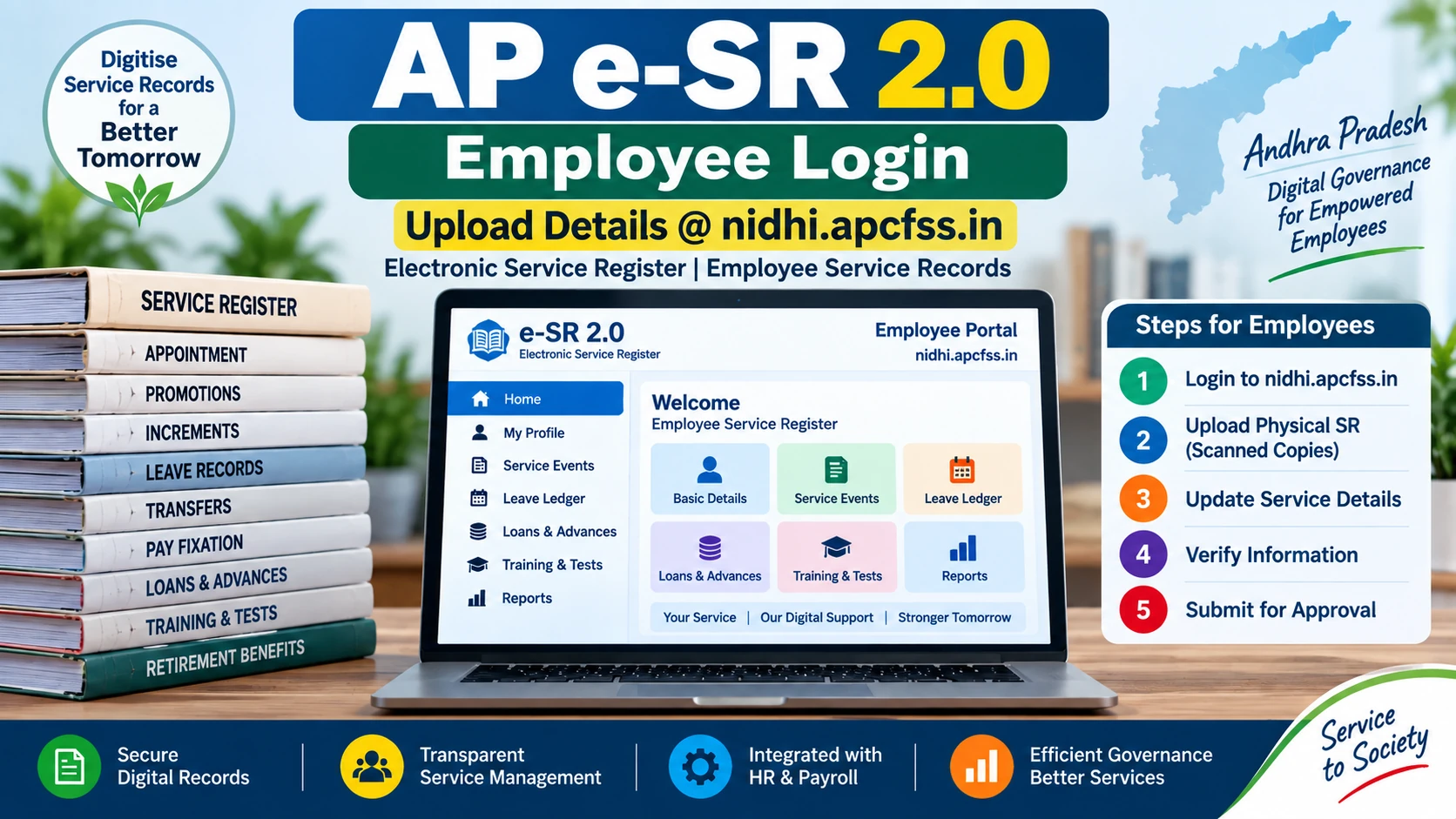
Government employees can use the e-SR 2.0 portal to view, enter and verify their service-related information according to the workflow prescribed by the Government. The system also provides separate roles for employees, Checkers, HR Managers and Heads of Offices.
AP e-SR 2.0 Employee Login:
AP e-SR 2.0 – Latest Update
The enhanced e-SR 2.0 system has been introduced through G.O.Ms.No.57, Finance (HR-IV, FR&LR) Department, dated 20 July 2026. The Government has directed that the existing Physical Service Registers of Government employees should be converted into electronic service records and progressively replaced by authenticated e-SRs.
The system is intended to provide an authenticated electronic record of Government service and support various Human Resource Management, payroll and retirement-related processes.
What is AP e-SR 2.0?
e-SR stands for Electronic Service Register. It is the digital version of the Service Register maintained for a Government employee.
The enhanced e-SR 2.0 application enables the digitisation, validation and authentication of information currently available in Physical Service Registers. It also provides dedicated modules for recording future service events.
Once the service record is digitised, verified and approved through the prescribed process, the authenticated e-SR becomes the electronic service record for the employee.
AP e-SR 2.0 Employee Login Link
Government employees can access the e-SR 2.0 portal through the APCFSS/NIDHI portal.
Employee Login:
AP e-SR 2.0 Employee Login – Click Here
Employees should use the login credentials and authentication method provided by the concerned Government system/department. If login credentials or access are not available, employees should contact their concerned office or HR authority.
AP e-SR 2.0 Overview
| Particular | Details |
|---|---|
| System Name | Electronic Service Register (e-SR) 2.0 |
| State | Andhra Pradesh |
| Department | Finance (HR-IV, FR&LR) Department |
| Government Order | G.O.Ms.No.57 |
| G.O. Date | 20 July 2026 |
| Main Purpose | Digitisation and authentication of Government employee service records |
| Portal | APCFSS / NIDHI e-SR Portal |
| Major Integration | e-HRM, Payroll and Retirement Benefits Processing System |
Why was e-SR 2.0 introduced?
The Government previously maintained service records mainly through Physical Service Registers. These records contain important information relating to an employee’s appointment, service, pay, leave, promotions, transfers and other service events.
The Government has introduced e-SR 2.0 to create a digital and authenticated service record and to facilitate integration with other Government HR and payroll systems.
The system is also intended to reduce dependence on the physical movement of Service Registers, particularly for processes associated with retirement benefits and pension authorisation.
Important Features of AP e-SR 2.0
- Digitisation of existing Physical Service Register information.
- Uploading of scanned copies of Physical Service Registers.
- Entry of service events with reference to the relevant Service Register page.
- Verification of entered information by a designated Checker.
- Approval by the HR Manager or authorised officer.
- Recording of future service events through dedicated e-SR modules.
- Integration with Human Resource Management processes.
- Support for payroll-related HR processes.
- Support for retirement and pension-related processing.
- Indexed access to scanned copies of the Physical Service Register.
Modules Available in e-SR 2.0
The enhanced e-SR 2.0 application contains different modules for maintaining an employee’s service information.
| No. | e-SR 2.0 Module | Purpose |
|---|---|---|
| 1 | Basic Details | Basic employee and service information |
| 2 | Home-Town & Personal | Home-town and personal information |
| 3 | Service Events | Recording important events in the employee’s service |
| 4 | Incentives | Recording eligible service-related incentives |
| 5 | Loans & Advances | Recording loans and advances |
| 6 | Leave Ledger | Maintaining leave-related information |
| 7 | Leave Travel Concession | Recording LTC-related information |
| 8 | Departmental Tests & Training | Recording departmental tests and training details |
What Service Events are Recorded in e-SR?
The e-SR 2.0 system is intended to record both legacy service information and future service events.
Important service events include:
- Annual increments
- Automatic Advancement Scheme (AAS)
- Pay fixation
- Promotions
- Transfers
- Leave affecting pay
- Revision of pay
- Suspension
- Reinstatement
- Probation declaration
- Other service events affecting service conditions or pay
Future service events arising after the implementation of the system are required to be recorded through the relevant e-SR modules according to the Government instructions.
AP e-SR 2.0 Employee Login – How to Login
Employees can follow these general steps to access the e-SR portal:
- Visit the AP e-SR 2.0/NIDHI portal.
- Open the employee login option provided in the portal.
- Enter the required login credentials.
- Complete the authentication process, if applicable.
- Login to the employee dashboard.
- Check the available service record information.
- Review the information against the Physical Service Register.
- Complete the required data entry or confirmation process as instructed.
- Upload the scanned Physical Service Register/document copies wherever required.
- Submit the information for verification through the prescribed workflow.
Important: The exact screens and login procedure may vary according to the employee’s department, role and stage of implementation.
How Does the e-SR 2.0 Workflow Work?
The e-SR 2.0 system introduces a structured workflow for digitising and authenticating service records.
Step 1 – Employee
The Government employee is required to scan the Physical Service Register and upload it in the system as instructed. The employee also enters the relevant service events and mentions the corresponding page number from the scanned Service Register.
Step 2 – Checker
The designated Checker verifies the information entered by the employee against the scanned Physical Service Register. This additional verification stage is intended to improve the accuracy of digitised service records.
Step 3 – HR Manager / Authorised Officer
After verification, the information is forwarded to the HR Manager or authorised officer for approval.
Step 4 – Authenticated e-SR
After approval, the authenticated electronic service record becomes the digital service record that can support subsequent HR, payroll and retirement-related processes.
Role of Employee in e-SR 2.0
The employee has an important role in ensuring that the digitised service record is complete and correct.
Employees should carefully compare the information entered in e-SR with their Physical Service Register and report or correct discrepancies according to the prescribed procedure.
The Government instructions place responsibility for the completeness and correctness of legacy Service Register data on the concerned Government employee and HR Manager.
Role of Checker in e-SR 2.0
A new Checker role has been introduced in the enhanced e-SR 2.0 workflow.
The Checker verifies the service events and other information entered by the employee by comparing them with the scanned Physical Service Register. After verification, the record is forwarded to the HR Manager or authorised officer.
Role of HR Manager
The HR Manager is responsible for recording and approving service matters according to the prescribed workflow and applicable service rules.
The HR Manager also plays an important role in ensuring that the employee’s electronic service record is properly authenticated.
Role of Head of Office
The Head of Office is responsible for configuring the workflow and assigning the required Checker and HR Manager roles as applicable.
The concerned offices are also required to ensure compliance with the Government instructions relating to digitisation, verification and approval of service records.
AP e-SR 2.0 Implementation Schedule
The Government has prescribed separate implementation schedules for Secretariat/Heads of Departments and the remaining State Government establishments.
Phase 1 – Secretariat & Heads of Departments
| Activity | Schedule |
|---|---|
| Rollout of enhanced e-SR application | 20 July 2026 |
| Employee data entry and Physical SR upload | 20 July 2026 to 5 August 2026 |
| Checker verification and HR Manager approval | 25 July 2026 to 31 August 2026 |
| Mandatory recording of future service events | From 1 September 2026 |
Phase 2 – Remaining State Government Establishments
| Activity | Schedule |
|---|---|
| Rollout of enhanced e-SR application | 1 August 2026 |
| Employee data entry and Physical SR upload | 1 August 2026 to 15 August 2026 |
| Checker verification and HR Manager approval | 5 August 2026 to 31 August 2026 |
| Mandatory recording of future service events | From 1 September 2026 |
What Documents May Be Required for e-SR 2.0?
Employees should keep their original Physical Service Register and relevant supporting documents available while completing the digitisation process.
Depending on the employee’s service record and the instructions displayed in the portal, information/documents may include:
- Physical Service Register pages
- Appointment and joining details
- Service event records
- Promotion and transfer orders
- Pay fixation details
- Increment details
- Leave records
- AAS-related records
- Departmental test and training details
- Loan and advance information
- Other documents available in the Physical Service Register
Note: Employees should upload documents only according to the requirements displayed in their e-SR login and the instructions issued by their concerned department/office.
e-SR 2.0 and Physical Service Register
The main objective of e-SR 2.0 is not simply to create another online record. It is intended to progressively replace the Physical Service Register with an authenticated electronic service record.
After conversion and authentication, the e-SR becomes an important digital source for Government HR processes. The Physical Service Register is to be retained safely after conversion as prescribed by the Government.
e-SR 2.0 Integration with Payroll and Pension
The enhanced e-SR 2.0 has been designed to integrate service records with other Government systems.
The system is aligned with the e-Human Resource Management (e-HRM) framework and is intended to support integration with the Payroll system and Retirement Benefits Processing System (RBPS).
This integration is important because service events such as promotion, increment, AAS, pay fixation and other events can affect an employee’s pay and future retirement benefits.
Why Employees Should Check Their e-SR Data Carefully
Service Register information is important throughout an employee’s Government service and at the time of retirement. Therefore, employees should carefully verify the information entered into e-SR 2.0.
Employees should particularly check:
- Name and personal details
- Appointment details
- Date of joining
- Service events
- Pay fixation information
- Promotions
- Transfers
- Increments
- AAS details
- Leave information
- Departmental tests and training
- Loans and advances
- Other important service events
If any discrepancy is noticed, the employee should follow the correction/verification procedure prescribed by the concerned department or HR authority.
AP e-SR 2.0 for Teachers and Government Employees
Teachers and other Government employees in Andhra Pradesh should pay attention to the e-SR 2.0 implementation because their service records contain information that may be required for future HR, payroll, promotion, transfer and retirement-related processes.
Teachers can also follow the latest Andhra Pradesh teacher-related updates through our APTeacher.net Home Page.
For other useful teacher resources, visit our AP Teachers section.
AP e-SR 2.0 Employee Login – Important Points
- e-SR stands for Electronic Service Register.
- e-SR 2.0 is the enhanced electronic service record system of Andhra Pradesh Government.
- The system was introduced through G.O.Ms.No.57 dated 20 July 2026.
- Physical Service Register information is to be digitised and authenticated.
- Employees have a role in entering and verifying their service information.
- The scanned Physical Service Register is used as a reference for verification.
- A Checker verifies the information before approval.
- The HR Manager/authorised officer approves the verified record.
- Future service events are to be recorded through the appropriate e-SR modules.
- Important HR and payroll-related events are covered by the system.
- The system is designed to integrate with e-HRM, Payroll and RBPS.
AP e-SR 2.0 Employee Login – FAQs
What is AP e-SR 2.0?
AP e-SR 2.0 is the enhanced Electronic Service Register system introduced by the Government of Andhra Pradesh for digitising, verifying and authenticating Government employee service records.
What is the AP e-SR Employee Login portal?
The e-SR Employee Login portal provides Government employees access to the electronic service record system through the APCFSS/NIDHI platform.
Who can use the e-SR 2.0 system?
The system is designed for Government employees and authorised personnel involved in maintaining and approving service records, including employees, Checkers, HR Managers and Heads of Offices.
What is G.O.Ms.No.57?
G.O.Ms.No.57 is the Finance (HR-IV, FR&LR) Department Government Order dated 20 July 2026 concerning the enhanced Electronic Service Register system and the progressive replacement of Physical Service Registers.
Do employees need to upload the Physical Service Register?
The prescribed workflow requires the Government employee to scan and upload the Physical Service Register and enter service events with reference to the relevant page, subject to the instructions applicable to the employee’s establishment.
Who verifies the employee’s e-SR information?
The designated Checker verifies the entered information against the scanned Physical Service Register. The verified record is then forwarded to the HR Manager or authorised officer for approval.
When did mandatory recording of future service events begin?
As per the prescribed schedule, future service events arising on or after 1 September 2026 are to be recorded through the respective e-SR modules.
What are the major e-SR 2.0 modules?
The major modules include Basic Details, Home-Town & Personal, Service Events, Incentives, Loans & Advances, Leave Ledger, Leave Travel Concession, and Departmental Tests & Training.
What should I do if my service record contains an error?
The employee should follow the correction and verification procedure prescribed by the concerned department/HR authority rather than making unauthorised changes to the record.
Is e-SR 2.0 connected with payroll?
Yes. The enhanced system is designed to integrate authenticated service events with HR and payroll processes and is also aligned with the e-HRM and Retirement Benefits Processing System.
Useful AP Teacher Resources
Conclusion
AP e-SR 2.0 Employee Login is an important digital initiative for Andhra Pradesh Government employees. The system is intended to convert Physical Service Register information into authenticated electronic records and provide a structured process for recording future service events.
Employees should carefully verify their service information against their original Physical Service Register and complete the required data entry, document upload and verification process according to the instructions issued by their concerned office.
AP e-SR 2.0 Employee Login: Click Here to Access the Portal
Disclaimer: This article is prepared for informational purposes based on the Government instructions and publicly available e-SR 2.0 information. Employees should follow the latest instructions displayed in the official portal and those issued by their department/HR authority.