e-SR 2.0 Employee & DDO Login nidhi.apcfss.in Link 2026: AP Electronic Service Register Login, Schedule, User Guide & Official Portal
The Andhra Pradesh Government has officially launched the enhanced Electronic Service Register (e-SR 2.0) through G.O.Ms.No.57, Finance (HR-IV, FR&LR) Department, dated 20 July 2026. The upgraded system replaces the traditional Physical Service Register with a secure digital service record integrated with the State’s HR, Payroll, and Retirement Benefits Processing System (RBPS).
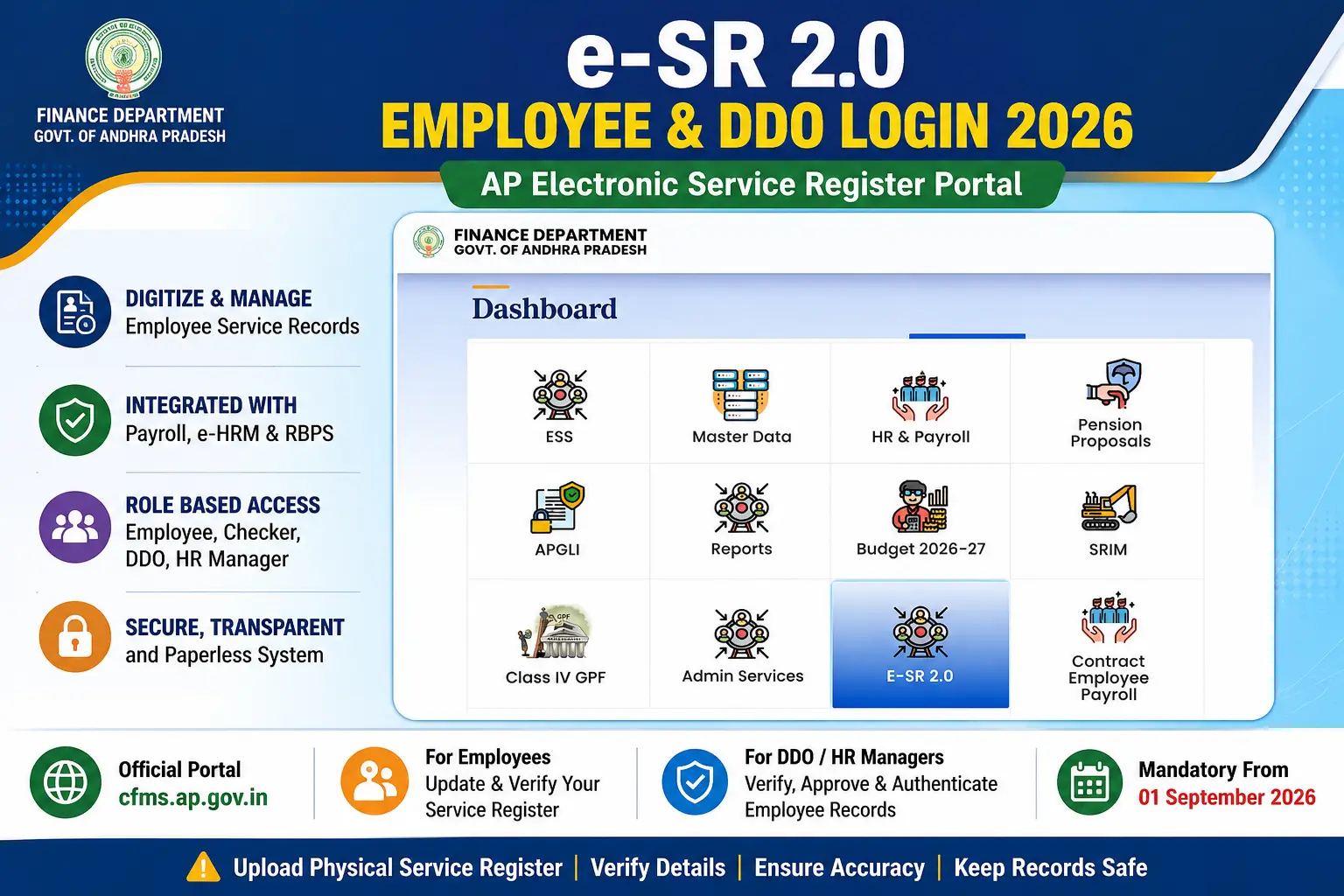
The e-SR 2.0 portal enables Government Employees, Drawing & Disbursing Officers (DDOs), Checkers, HR Managers, and Heads of Offices to digitize, verify, approve, and maintain employee service records online.
This article explains the e-SR 2.0 Employee Login, DDO Login, implementation schedule, required documents, workflow, modules, benefits, and frequently asked questions.
Table of Contents
- e-SR 2.0 Overview
- Employee & DDO Login
- Key Features
- Modules
- Workflow
- Implementation Schedule
- Required Documents
- Benefits
- FAQs
AP e-SR 2.0 Overview
| Application Name | Electronic Service Register (e-SR 2.0) |
|---|---|
| State | Andhra Pradesh |
| Department | Finance (HR-IV, FR & LR) |
| Government Order | G.O.Ms.No.57 |
| GO Date | 20 July 2026 |
| Purpose | Digitization of Government Employee Service Registers |
| Applicable To | All Andhra Pradesh Government Employees |
| Users | Employees, Checker, DDO, HR Manager, Head of Office |
| Integration | Payroll, e-HRM & RBPS |
| Official Login Portal | APCFSS e-SR 2.0 Portal |
e-SR 2.0 Employee & DDO Login
The e-SR 2.0 portal provides separate login access for different users involved in maintaining and approving employee service records.
| User | Purpose |
|---|---|
| Employee | Upload scanned Service Register, enter service events and verify personal details. |
| Checker | Verify all entries with uploaded Service Register. |
| DDO / HR Manager | Approve and authenticate employee records. |
| Head of Office | Configure workflow and authorize approvals. |
How to Login to e-SR 2.0
- Open the official APCFSS e-SR 2.0 portal.
- Select your login type.
- Enter Employee ID or User ID.
- Enter Password.
- Complete OTP verification if prompted.
- Click on Login.
- Access your dashboard to update or verify service records.
Major Features of e-SR 2.0
- Complete digitization of Physical Service Registers.
- Integrated with Payroll System.
- Integrated with Retirement Benefits Processing System (RBPS).
- Single source of authenticated employee service data.
- Role-based workflow for Employee, Checker and HR Manager.
- Secure document upload and verification.
- Online approval of service events.
- Paperless employee service record maintenance.
- Improved transparency and accountability.
- Faster pension processing.
Modules Available in e-SR 2.0
| Module | Description |
|---|---|
| Basic Details | Employee profile information. |
| Home Town & Personal Details | Personal information and hometown records. |
| Service Events | Appointments, promotions, transfers and pay fixation. |
| Incentives | Advance increments and incentives. |
| Loans & Advances | Employee loan records. |
| Leave Ledger | Leave balances and transactions. |
| Leave Travel Concession | LTC details. |
| Departmental Tests & Training | Department tests and training records. |
e-SR 2.0 Workflow
| Stakeholder | Responsibility |
|---|---|
| Employee | Scan and upload the Physical Service Register, enter legacy service records and supporting documents. |
| Checker | Verify uploaded information with the scanned Service Register. |
| HR Manager / DDO | Approve and authenticate electronic service records. |
| Head of Office | Assign roles and monitor the workflow. |
Implementation Schedule
Phase-I (Secretariat & Heads of Departments)
| Activity | Timeline |
|---|---|
| Rollout of e-SR 2.0 | 20 July 2026 |
| Employee Data Entry & Upload | 20 July 2026 – 05 August 2026 |
| Verification & Approval | 25 July 2026 – 31 August 2026 |
| Mandatory Digital Service Events | From 01 September 2026 |
Phase-II (Remaining Government Offices)
| Activity | Timeline |
|---|---|
| Rollout of e-SR 2.0 | 01 August 2026 |
| Employee Data Entry & Upload | 01 August 2026 – 15 August 2026 |
| Verification & Approval | 05 August 2026 – 31 August 2026 |
| Mandatory Digital Service Events | From 01 September 2026 |
Documents Required for e-SR 2.0
Before updating your Electronic Service Register, keep the following documents ready for smooth verification and approval.
<table “>
DocumentPurposeScanned Physical Service Register (SR)Digitization of legacy service recordsAppointment OrderVerification of initial appointmentPromotion OrdersUpdating promotion historyTransfer OrdersRecording transfer detailsPay Fixation OrdersVerification of pay revisionsLeave Sanction OrdersUpdating leave recordsDepartmental Test CertificatesRecording qualification detailsTraining CertificatesEmployee training historyIdentity DocumentsVerification of employee details
Responsibilities of Government Employees
Every Government employee plays an important role in ensuring the accuracy of the Electronic Service Register.
- Scan and upload the complete Physical Service Register.
- Enter all legacy service events correctly.
- Mention the corresponding page number of the scanned SR for every entry.
- Upload supporting documents wherever applicable.
- Verify personal, service, and pay details before submission.
- Respond promptly to any corrections suggested by the Checker or HR Manager.
Responsibilities of the Checker
- Verify every service entry with the scanned Service Register.
- Check page references and supporting documents.
- Identify missing or incorrect information.
- Forward verified records to the HR Manager for approval.
Responsibilities of HR Manager / DDO
- Assign Checker roles and configure the workflow.
- Review and authenticate employee records.
- Approve verified electronic Service Registers.
- Ensure timely completion of digitization.
- Maintain future service events through e-SR 2.0.
Future Service Events to be Recorded in e-SR 2.0
From 01 September 2026, all new service events must be entered only through the e-SR 2.0 system after authentication.
| Service Event | Mandatory in e-SR |
|---|---|
| Annual Increment | Yes |
| Automatic Advancement Scheme (AAS) | Yes |
| Pay Fixation | Yes |
| Promotion | Yes |
| Transfer | Yes |
| Leave Affecting Pay | Yes |
| Suspension / Reinstatement | Yes |
| Probation Declaration | Yes |
| Retirement Related Entries | Yes |
Benefits of e-SR 2.0
- 100% digital maintenance of employee service records.
- Paperless administration with authenticated electronic records.
- Integration with Payroll, e-HRM and Retirement Benefits Processing System (RBPS).
- Faster pension authorization and retirement processing.
- Reduced manual errors and duplication.
- Improved transparency and accountability.
- Secure document storage and easy verification.
- Simplified HR management across Government departments.
Common Login Problems and Solutions
| Problem | Solution |
|---|---|
| Forgot Password | Use the password recovery option or contact the DDO. |
| OTP Not Received | Verify your registered mobile number. |
| Invalid Employee ID | Contact your Establishment Section or HR Manager. |
| Unable to Upload Documents | Check file size and supported formats. |
| Login Failed | Clear browser cache or try another supported browser. |
Official Links
- e-SR 2.0 Login Link https://nidhi.apcfss.in
- Finance Department: https://finance.ap.gov.in
- Government Orders Portal: https://goir.ap.gov.in
- APCFSS Portal: https://cfms.ap.gov.in
Frequently Asked Questions (FAQs)
1. What is e-SR 2.0?
e-SR 2.0 is the enhanced Electronic Service Register introduced by the Andhra Pradesh Government for maintaining authenticated digital service records of employees.
2. Who should use e-SR 2.0?
All Andhra Pradesh Government employees whose service registers are maintained by Government departments.
3. Who approves the e-SR records?
The Checker verifies the records, and the HR Manager or authorized DDO/Head of Office gives the final approval.
4. Is uploading the Physical Service Register mandatory?
Yes. Employees are required to upload the scanned Physical Service Register during digitization. :contentReference[oaicite:1]{index=1}
5. When will future service events be maintained only through e-SR?
All future service events will be recorded through e-SR 2.0 from 01 September 2026. :contentReference[oaicite:2]{index=2}
6. Is the Physical Service Register discarded?
No. The original Physical Service Register will be preserved safely even after successful digitization. :contentReference[oaicite:3]{index=3}
7. What systems are integrated with e-SR 2.0?
The application is integrated with e-HRM, Payroll, and the Retirement Benefits Processing System (RBPS).
8. What happens if incorrect data is entered?
The Checker or HR Manager may return the record for corrections before approval.
Conclusion
The rollout of e-SR 2.0 marks a significant milestone in Andhra Pradesh’s digital governance initiatives. By replacing manual Service Registers with authenticated electronic records integrated with Payroll, e-HRM, and RBPS, the Government aims to improve efficiency, transparency, and timely pension processing. Employees, Checkers, DDOs, and Heads of Offices should complete the digitization process within the prescribed timelines to ensure seamless implementation.